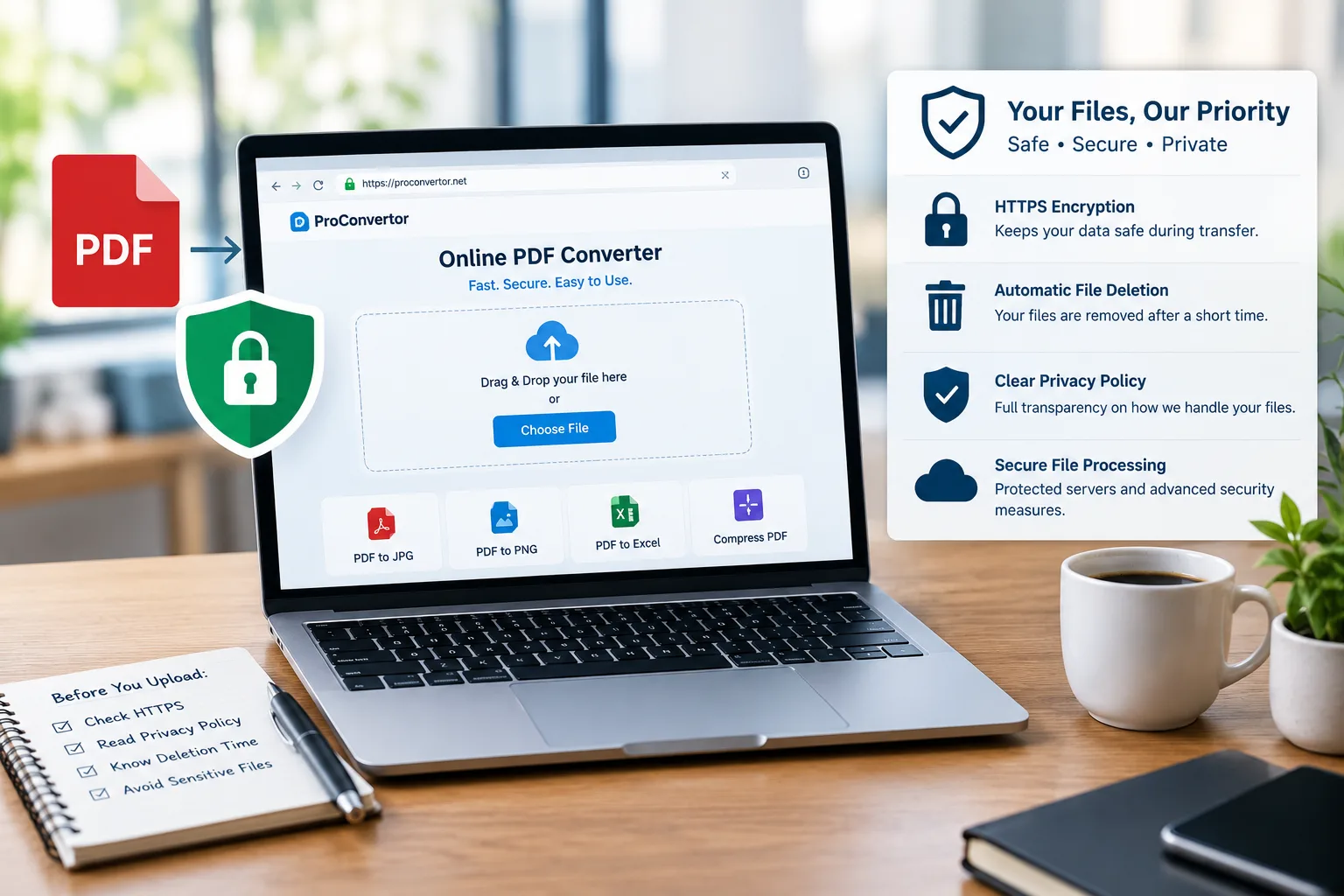
Online PDF converters have made it much easier to convert, compress, merge, and manage documents. Instead of installing desktop software, you can upload a file, choose the required tool, and download the processed document directly from your browser.
But there is one important question many people ask: Are online PDF converters safe?
The answer is: they can be safe, but not every online PDF converter offers the same level of security. Before uploading a document, you should understand how the service handles your files, what security measures it uses, and how long your files remain on its servers.
How Do Online PDF Converters Work?
Most online PDF converters use a simple process.
First, you upload a document through your browser. The service sends the file to its servers, where the requested conversion or processing takes place. The resulting file is then made available for you to download.
Some services may store uploaded files temporarily during processing. For example, Adobe states that its Acrobat online services upload files to Adobe cloud storage and that files used without signing in are deleted after a short period.
This means that choosing an online converter also means choosing a service you trust with your uploaded document.
Are Online PDF Converters Safe?
A reputable online PDF converter should use security measures to protect files during upload and processing.
For example, secure services commonly use HTTPS or TLS encryption to protect data while it travels between your device and their servers. Adobe says Acrobat online services use TLS 1.2 and AES-256 encryption for its services.
However, encryption is only one part of online file security. You should also consider:
-
How long files are stored
-
Whether files are automatically deleted
-
Who can access uploaded documents
-
Whether your files are used for other purposes
-
Whether the website has a clear privacy policy
-
Whether the service uses secure connections
-
Whether you need to create an account
What Makes an Online PDF Converter Secure?
Not all online converters provide the same protections. Before using one, look for several important security features.
HTTPS Encryption
Always check that the website uses HTTPS. This helps protect your file while it is being transferred between your browser and the service.
Without a secure connection, sensitive information could be exposed during transmission.
Automatic File Deletion
A good PDF converter should clearly explain what happens to uploaded files after processing.
Automatic deletion reduces the amount of time your document remains on a third-party server. Different services use different deletion periods. For example, PDF24 states that uploaded files are automatically deleted from its servers after one hour.
Therefore, do not assume every converter follows the same policy. Check the service's privacy or security information before uploading important documents.
Clear Privacy Policy
A trustworthy service should clearly explain how it handles uploaded files and personal information.
Look for information about:
-
File storage
-
Data retention
-
File deletion
-
Third-party access
-
Data processing
-
Account information
-
Cookies and analytics
If you cannot find basic information about how your files are handled, consider using another service.
Secure File Processing
Some services use cloud servers to process uploaded documents. This is normal for many online conversion tools.
The important question is how those servers are protected and what happens to your file after processing. Adobe, for example, states that its PDF Services content is transferred using TLS 1.2 or greater and that user-generated content may be temporarily cached during normal processing.
What Types of Files Should You Avoid Uploading?
Even when an online converter has strong security practices, you should think carefully before uploading highly sensitive documents.
Avoid uploading confidential files, such as a sensitive pdf to excel conversion, unless you have verified that the service is appropriate for that type of information.
Examples may include:
-
Bank statements
-
Password lists
-
Private contracts
-
Confidential business documents
-
Identity documents
-
Sensitive financial records
-
Documents containing private customer information
For extremely sensitive documents, an offline PDF application may be a better option because the file can remain on your own device.
How to Check If a PDF Converter Is Trustworthy
You can perform a few quick checks, like testing a simple image compressor, before using an online converter for your main documents.
1. Check the Website Address
Make sure the website uses HTTPS and that you are on the correct domain.
Be careful with unfamiliar websites that use misleading names, excessive pop-ups, or suspicious download buttons.
2. Read the Privacy Policy
Look for a clear explanation of how uploaded files are processed and deleted.
A good privacy policy should not leave you guessing about what happens to your documents.
3. Look for File Deletion Information
Find out whether uploaded files are automatically deleted and how long they remain on the server.
The shorter the retention period, the less time your file remains stored online.
4. Check Security Information
Look for information about encryption, secure connections, server protection, and other security practices.
5. Avoid Suspicious Software Downloads
One advantage of online converters is that they can work directly through a browser. Be cautious if an unfamiliar conversion website suddenly asks you to install unknown software or browser extensions.
Can You Safely Convert PDFs Online?
For everyday documents, online PDF conversion can be a convenient and reasonably safe option when you choose a reputable service with appropriate security and privacy practices.
For example, converting a public report, presentation, school assignment, or non-confidential document generally carries less risk than uploading a document containing highly sensitive personal information.
The key is to understand the service before uploading the file.
Is PROCONVERTOR Safe for PDF Conversion?
When using PROCONVERTOR or any online PDF conversion service, users should review the website's privacy and security information before uploading sensitive documents.
For everyday conversion tasks, an online tool can save time and eliminate the need to install additional software. However, users should always follow the same basic security practices: use the official website, check the privacy policy, and avoid uploading confidential documents unless the service's security and data-retention practices meet their requirements.
Online vs Offline PDF Conversion
Both online and offline converters have advantages.
|
Feature |
Online PDF Converter |
Offline PDF Software |
|
Installation |
Usually not required |
Usually required |
|
Internet connection |
Required |
Often not required |
|
Convenience |
Very high |
Good |
|
File processing |
Often on cloud servers |
Usually on your device |
|
Large files |
Depends on service |
Depends on computer |
|
Sensitive documents |
Requires careful service selection |
More control over local files |
|
Accessibility |
Can work across devices |
Usually tied to installed device |
Online tools are convenient, while offline software can provide more direct control over sensitive files.
Tips for Using Online PDF Converters Safely
Follow these simple practices whenever you use an online converter or a specialized pdf to png convertor:
-
Use a reputable PDF conversion service.
-
Check that the website uses HTTPS.
-
Read its privacy policy.
-
Check how long uploaded files are retained.
-
Look for automatic file deletion.
-
Avoid uploading highly sensitive documents unnecessarily.
-
Use the official website rather than suspicious links.
-
Download your converted file and remove unnecessary copies.
-
Avoid entering confidential information into unfamiliar websites.
-
Keep sensitive PDFs password-protected when appropriate.
Password protection can add another layer of security to a PDF. Modern PDF tools can allow users to protect documents with passwords and permissions.
Final Thoughts
So, are online PDF converters safe?. They can be, provided you choose a trustworthy service and understand how it handles your files. Security features such as HTTPS/TLS encryption, short file-retention periods, automatic deletion, and clear privacy policies are important indicators to look for.
For ordinary documents, a reputable online converter can be a convenient way to convert files without installing software. For highly confidential information, however, consider whether online processing is appropriate or whether an offline solution would give you better control. The safest approach is simple: check the service before you upload the file.
Ready to convert your files safely? Explore ProConvertor’s online conversion tools and choose the right tool for your file needs.
Frequently Asked Questions
Are online PDF converters safe to use?
Yes, reputable online PDF converters can be safe for everyday documents. However, security practices vary between services, so check encryption, privacy policies, file retention, and deletion practices before uploading files.
Do online PDF converters store my files?
Some services temporarily store uploaded files while processing them. The storage period varies by provider. For example, Adobe says files used without signing in are deleted after a short period, while PDF24 states that files are automatically deleted after one hour.
Can I use an online converter for confidential documents?
It is better to be cautious. Before uploading confidential documents, verify the converter's security, privacy, and data-retention policies. For highly sensitive information, an offline converter may be preferable.
How do I know if a PDF converter is secure?
Look for HTTPS, clear privacy policies, information about encryption, automatic file deletion, and transparent data-retention practices. Avoid services that provide little information about how uploaded files are handled.
Are free online PDF converters safe?
Free does not automatically mean unsafe, and paid does not automatically mean secure. Evaluate the service based on its security and privacy practices rather than its price alone.
Can online PDF converters see my files?
If a file is uploaded to a server for processing, the service's systems may process the file. Whether employees can access it, how it is stored, and whether it is retained depends on the provider's policies and technical practices.
Are PDF files encrypted during online conversion?
Secure services commonly use encryption when transferring files. For example, Adobe states that Acrobat online services use TLS 1.2 and AES-256 encryption.
Should I use an online converter for bank statements?
You should be particularly careful with bank statements because they can contain sensitive financial information. Check the converter's security and deletion policies first, or consider processing the document locally with offline software.
Is it safer to convert PDFs offline?
Offline conversion can provide more control because the document can remain on your own device. However, the security of your computer and software still matters.
What should I do after downloading a converted PDF?
Check that the converted document is correct, then remove unnecessary copies from your device or cloud storage. If the document contains sensitive information, consider protecting it with an appropriate password and access controls.