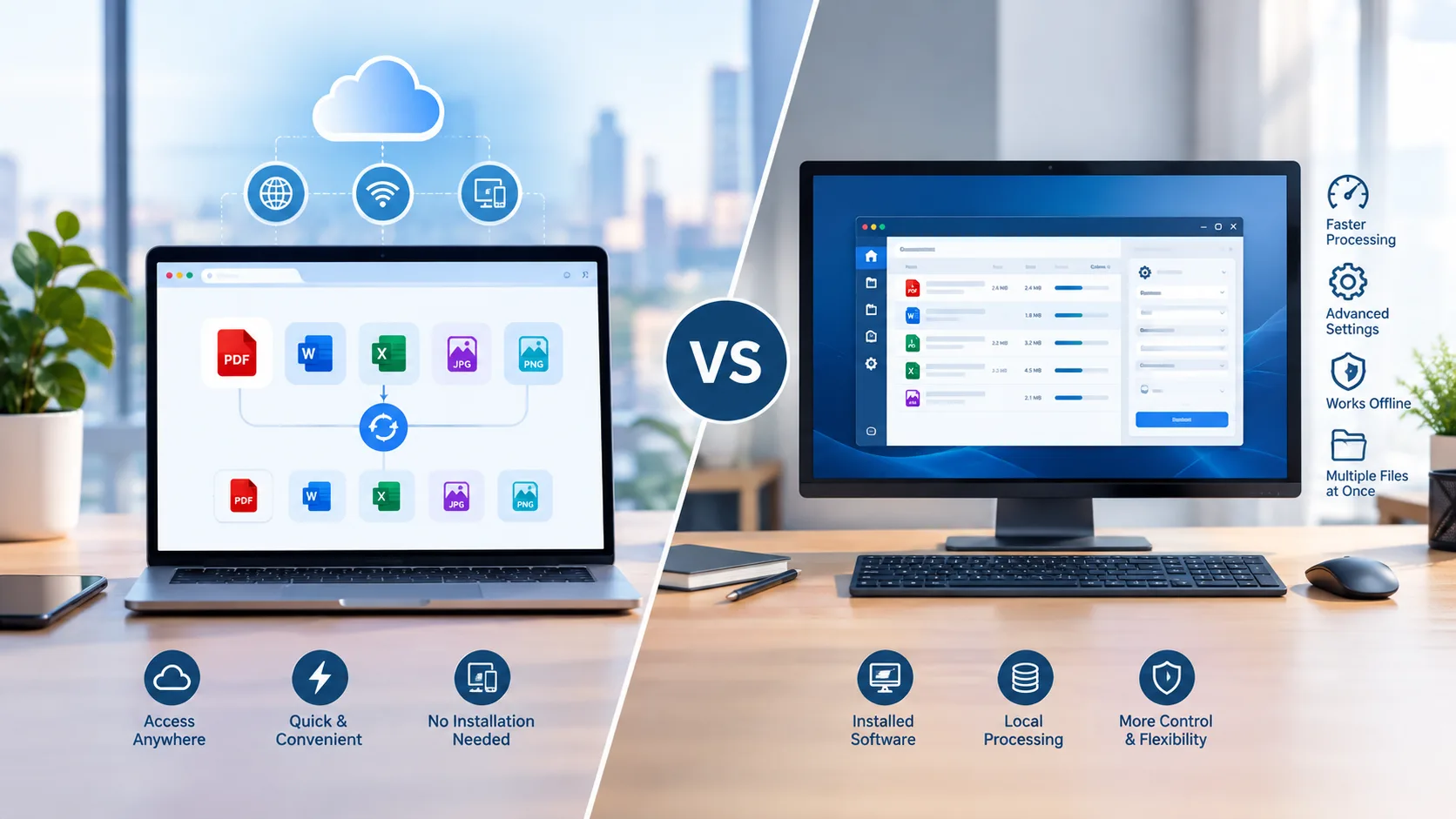
File conversion is a common part of everyday digital work. You may need to convert a Word document to PDF, turn a PDF into an Excel spreadsheet, change an image into a PDF, or reduce the size of an image before sharing it.
Traditionally, many people used desktop software for these tasks. Today, online file conversion tools provide another option. They allow users to convert files directly from a web browser without installing additional software.
So, which is better: online file conversion or desktop software?
The answer depends on your needs, the type of files you work with, how often you convert them, and whether you need advanced features.
What Is Online File Conversion?
Online file conversion allows you to change a file from one format to another using a web-based tool.
Instead of downloading and installing a conversion program, you open a website, select the appropriate tool, upload your file, and start the conversion.
Online converters can be useful for common tasks such as:
-
PDF to JPG conversion
-
PDF to PNG conversion
-
PDF to Word conversion
-
PDF to Excel conversion
-
JPG to PDF conversion
-
PNG to PDF conversion
-
Excel to PDF conversion
-
Image compression
This approach can be particularly convenient when you need to convert a file quickly or are working from a device where you cannot install software.
What Is Desktop File Conversion Software?
Desktop conversion software is installed directly on a computer. Once installed, the program can be used to convert files locally.
Desktop software can offer a wide range of features, depending on the application. Some programs support advanced editing, batch processing, custom settings, and other professional functions.
Desktop software may be more suitable for users who:
-
Convert files frequently
-
Need advanced editing features
-
Work with large numbers of files
-
Need specialized conversion settings
-
Prefer working offline
-
Have specific professional requirements
However, desktop programs can require installation, updates, storage space, and sometimes paid licenses.
Online File Conversion vs Desktop Software
Both options have advantages. The better choice depends on what you need from your file conversion workflow.
|
Feature |
Online File Conversion |
Desktop Software |
|
Installation |
Usually not required |
Required |
|
Internet |
Usually required |
Often not required |
|
Accessibility |
Available through a browser |
Usually limited to installed devices |
|
Setup |
Quick |
May require installation and configuration |
|
Updates |
Managed by the service |
Often requires software updates |
|
Advanced features |
Depends on the tool |
Often more extensive |
|
Convenience |
High for occasional tasks |
Useful for frequent workflows |
|
Offline use |
Usually unavailable |
Often available |
|
Device flexibility |
Can work across supported devices |
Usually tied to the computer |
Advantages of Online File Conversion
Online conversion has become popular because it removes several steps from the traditional conversion process.
No Software Installation
One of the biggest advantages is that you generally do not need to install a separate program.
You can open the conversion tool in a browser, upload your file, and complete the task online. This is useful when you are working on a shared computer, using a temporary device, or simply do not want another application taking up storage space.
Quick and Convenient
Online converters are designed for straightforward conversion tasks.
For example, if you only need to convert one PDF to JPG, installing a complete desktop application may be unnecessary. An online tool can provide a quicker way to complete the task.
Access From Different Devices
Online tools can be useful when you work across multiple devices. You can access a browser-based converter from a supported computer or other device without needing to install the same software on every machine.
This can be especially helpful for students, remote workers, freelancers, and people who regularly switch between devices.
Simple for Occasional Users
Not everyone needs advanced conversion software.
If you only convert files occasionally, an online tool can be a practical choice. You can use the tool when needed rather than maintaining dedicated software on your computer.
Advantages of Desktop Software
Desktop software still has an important role, particularly for users with more demanding workflows.
Works Without an Internet Connection
Many desktop applications can work offline once they are installed.
This can be useful when you have limited internet access or need to process files without relying on an online service.
Advanced Features
Professional desktop applications may provide more advanced controls than basic online converters.
These can include detailed editing options, batch processing, customization, automation, and specialized file handling.
Useful for Frequent Conversion
If you convert hundreds of files regularly, desktop software may provide a more suitable workflow.
A dedicated application can sometimes make repetitive tasks easier, particularly when it supports batch processing and automation.
More Control Over Local Files
Some users prefer to keep files within their own computer environment. Desktop software can provide a local workflow where files are processed directly on the device.
However, the exact privacy and security characteristics depend on the software and how it handles files.
Which Is Easier to Use?
For simple conversion tasks, online tools are often easier for beginners.
The typical process is:
-
Open the online converter.
-
Choose the required conversion tool.
-
Upload your file.
-
Start the conversion.
-
Download the converted file.
There is usually no installation or complicated configuration involved.
Desktop software may require more setup, but it can provide additional controls for users who need them.
Which Is Better for Occasional File Conversion?
For occasional conversion, online file conversion is often the more convenient option. If you only need to convert a few files, downloading a large desktop application may not be necessary. For example, you might need to convert a Word document to PDF once for sharing or submitting a file. In that situation, an online Word to PDF converter can be a practical solution.
Which Is Better for Frequent File Conversion?
For frequent or professional conversion workflows, desktop software may be more suitable, particularly when advanced features or offline processing are important.
However, the choice still depends on the specific online tool. Some web-based services provide multiple conversion options and can handle common repetitive tasks without requiring local installation.
The best option is the one that fits the volume and complexity of your work.
Online Conversion for Common File Types
When comparing the two options, look beyond the price and consider which one offers the most value for your needs.
PDF to Word
If you have a PDF that needs editing, converting it to Word can make the text easier to modify.
ProConvertor provides a PDF to Word conversion tool for users who need to turn PDF documents into editable Word files.
PDF to Excel
When a PDF contains tables or structured information, converting it to Excel can make the data easier to work with.
You can use a PDF to Excel converter when you need to edit, organize, or analyze information in a spreadsheet.
PDF to JPG and PNG
PDF pages can also be converted into image files.
PDF to JPG is a useful option when you need smaller image files for sharing, uploading, or online use. PDF to PNG can be useful when preserving sharp details is more important.
JPG and PNG to PDF
If you have images that need to be shared as a document, converting JPG to PDF or PNG to PDF can place them into a more convenient document format.
Image Compression
File conversion is not the only reason people use online tools.
Large images can also be compressed before uploading them to a website, sending them by email, or sharing them online. An online Compress Image tool can help reduce file size without requiring desktop image-editing software.
Is Online File Conversion Safe?
Security is an important consideration when choosing an online file converter.
Before uploading a document, check how the service handles uploaded files and whether it provides information about data protection and file deletion.
You should also consider the sensitivity of the document.
For highly confidential, regulated, or sensitive files, your organization's security requirements may favor a local solution or a specifically approved service.
For ordinary documents and images, a reputable online converter can be a convenient option when its security practices meet your needs.
Online File Conversion vs Desktop Software: Cost
Cost can also influence your decision.
Some online converters offer free conversion for common tasks, while others provide paid plans for additional features or larger limits.
Desktop software may also be free, subscription-based, or require a one-time purchase.
Rather than focusing only on the price, consider the overall value each option provides. If you only need occasional conversion, paying for or installing a large desktop application may not be necessary.
For frequent professional use, a paid desktop or online solution may provide features that justify the cost.
Which Option Is Better for Students and Remote Workers?
Online file conversion can be particularly convenient for students and remote workers.
Students may need to convert assignments, presentations, spreadsheets, and images between different formats. Remote workers may need to process files while working from different locations or devices.
Because online tools work through a browser, they can reduce the need to install software on every computer.
When Should You Choose Online File Conversion?
Choose online file conversion when:
-
You need a quick conversion
-
You convert files occasionally
-
You do not want to install software
-
You work across different devices
-
You need common file conversions
-
You prefer a simple browser-based workflow
-
You need to complete a conversion quickly
When Should You Choose Desktop Software?
Desktop software may be a better choice when:
-
You convert large numbers of files regularly
-
You need advanced conversion controls
-
You need offline functionality
-
You require specialized features
-
You work with sensitive files that should remain local
-
Your workflow depends on automation or batch processing
How to Choose the Right File Conversion Method
Before choosing between an online converter and desktop software, ask yourself a few questions.
How often do I convert files?
For occasional tasks, online conversion may be more convenient. Frequent users may benefit from dedicated software or an online service with advanced features.
Do I need internet access?
If you need to convert files without an internet connection, desktop software may be a more suitable choice.
Do I need advanced controls?
Basic conversions can usually be handled easily online. More specialized workflows may require desktop software.
Do I need to install anything?
If you want to avoid installation, an online converter can save time and storage space.
How sensitive is the file?
Always consider the security requirements of the document before uploading it to an online service.
Why ProConvertor Can Be a Convenient Online Option
ProConvertor provides browser-based tools for common file conversion and image compression tasks.
Instead of installing separate software for every format, you can access the required conversion tool online and process supported files through your browser.
Whether you need to convert a PDF to Word, turn a PDF into an image, convert a spreadsheet to PDF, or reduce an image file size, using a dedicated online tool can make the process simpler.
Online File Conversion vs Desktop Software: Which Is Better?
There is no universal winner. Online file conversion is generally better for convenience, occasional tasks, quick conversions, and users who do not want to install software.
Desktop software can be better for frequent conversion, offline work, advanced features, and specialized workflows.
For everyday file conversion, an online tool can often provide the simplest solution. For complex professional workflows, desktop software may offer more control.
The best choice is therefore the one that matches your file types, workflow, frequency, security requirements, and desired features.
Frequently Asked Questions
Is online file conversion better than desktop software?
Online file conversion is often more convenient for occasional and simple tasks, while desktop software can be better for advanced, frequent, or offline workflows.
Do online file converters require software installation?
Most browser-based file converters do not require desktop software installation. You can use the tool directly in your web browser without installing additional software.
Can I convert files online for free?
Some online conversion tools offer free conversions, although limits and available features vary between services.
Is desktop software better for large numbers of files?
Desktop software can be useful for large-volume conversion, especially when it supports batch processing or automation. Some online services may also provide batch conversion features.
Can I convert PDF files online?
Yes. Online tools can support common PDF conversions such as PDF to Word, PDF to Excel, PDF to JPG, and PDF to PNG, depending on the service.
Which is better for sensitive documents, online or desktop conversion?
The answer depends on the specific security requirements and the service or software being used. For highly sensitive files, check the applicable privacy, security, and organizational requirements before choosing an online service.
Final Thoughts
Online file conversion and desktop software both have a place in modern digital workflows. If you need a fast and simple way to convert a file without installing software, an online converter can be an excellent choice.
If you regularly process large numbers of files or need advanced features and offline functionality, desktop software may be more appropriate. Understanding the differences allows you to choose the option that best fits your needs.
For everyday conversions, ProConvertor provides convenient online tools that let you handle common file conversion tasks directly from your browser.