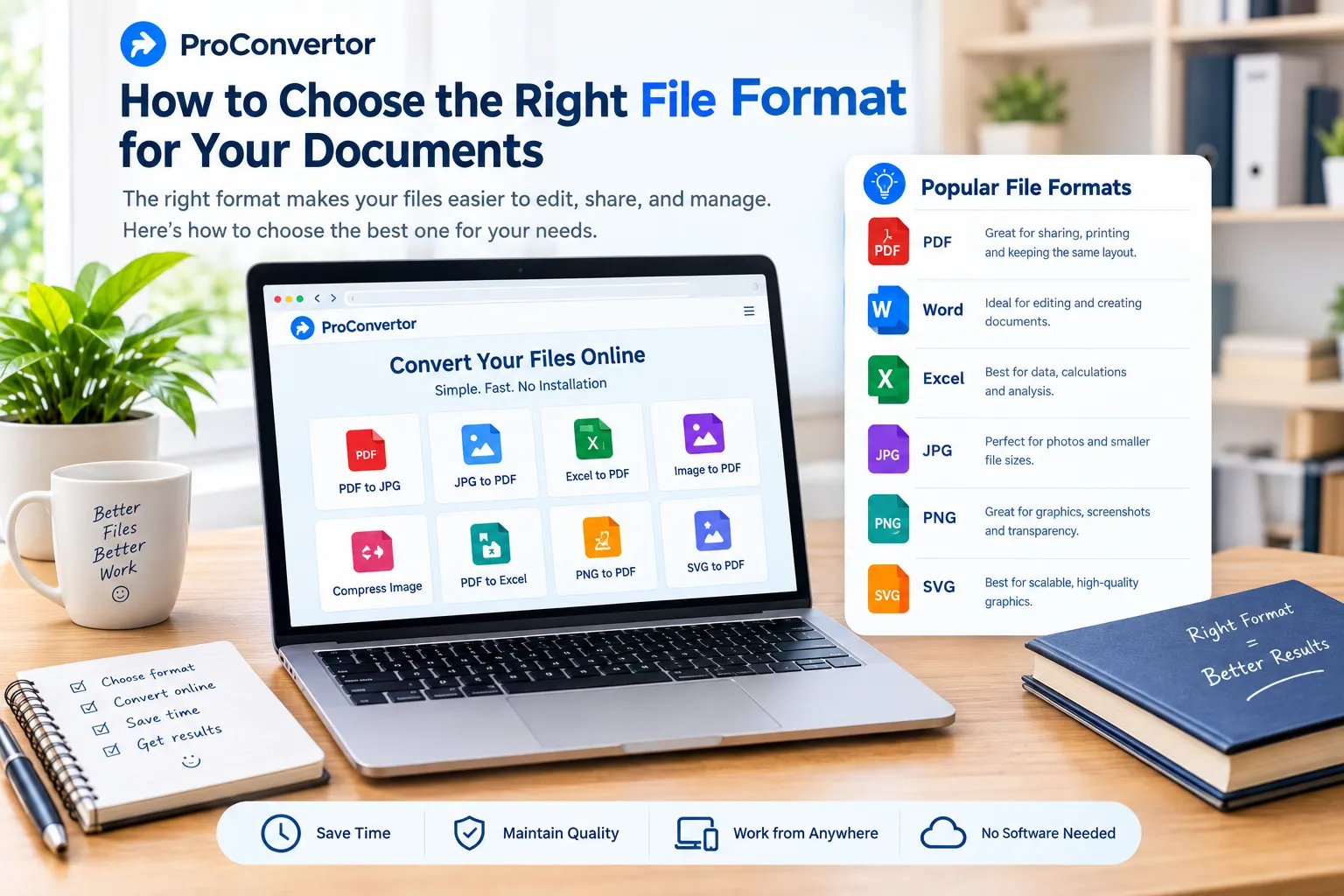
Choosing the right file format can make a big difference in how easily you create, share, edit, and store your documents. Different formats are designed for different purposes. A format that works well for editing may not be the best choice for sharing, while a format that preserves a document's layout may not be suitable for making frequent changes.
Common file formats such as PDF, Word, Excel, JPG, PNG, and SVG each have their own advantages. Understanding these differences can help you select the right format for your work.
Whether you are preparing a business report, sharing a document online, sending an image, or working with spreadsheets, choosing the appropriate file format can save time and prevent unnecessary formatting problems.
Why Does the Right File Format Matter?
The file format you choose affects how your document looks, how easily it can be edited, and how it can be shared with others.
For example, a PDF is useful when you want a document to maintain the same appearance across different devices. On the other hand, an Excel file is more suitable when you need to work with calculations, tables, formulas, or large amounts of data.
Choosing the right format can help you:
-
Maintain consistent document formatting
-
Make files easier to edit
-
Reduce file size when needed
-
Share documents more easily
-
Preserve image quality
-
Improve compatibility across devices
-
Organize information more effectively
The best format depends on what you want to do with the file.
Common Document File Formats
Before choosing a format, it helps to understand the most commonly used options.
PDF is one of the most widely used formats for sharing documents. It is especially useful when you want the layout, fonts, images, and formatting to remain consistent.
PDF files are commonly used for:
-
Business reports
-
Contracts
-
Forms
-
Invoices
-
Resumes
-
Presentations
-
Official documents
-
Ebooks
PDF is often a good choice when the recipient mainly needs to view or print the document rather than make major changes.
If you need to turn PDF pages into images, you can use the PDF to JPG or PDF to PNG conversion tools.
Microsoft Word
Word documents are designed primarily for creating and editing text-based documents.
They are useful for:
-
Letters
-
Reports
-
Assignments
-
Resumes
-
Proposals
-
Draft documents
-
Articles
If you expect to make frequent changes to the content, a Word document can be more practical than a PDF.
Excel
Excel is designed for working with structured data, calculations, tables, and spreadsheets.
It is commonly used for:
-
Financial data
-
Budgets
-
Sales records
-
Inventory
-
Calculations
-
Data analysis
-
Charts and tables
Excel is generally a better choice when the document contains formulas or data that needs to be sorted, filtered, or updated.
If you need to share a finalized spreadsheet, you can convert Excel to PDF to create a fixed version that is easier to share and print.
JPG
JPG is primarily an image format. It is commonly used for photographs and images containing many colors.
JPG can be useful for:
-
Photos
-
Product images
-
Website images
-
Social media graphics
-
Online sharing
One of its main advantages is its relatively small file size.
PNG
PNG is another popular image format. It is particularly useful for graphics, screenshots, logos, icons, and images where preserving detail is important.
PNG is often preferred when:
-
Image quality matters
-
The image contains text
-
Transparency is required
-
You are working with logos or graphics
-
You need sharp edges and details
If you need to turn images into a document, you can convert JPG to PDF or convert PNG to PDF online.
SVG
SVG is a vector image format that is commonly used for logos, icons, illustrations, and other scalable graphics.
Unlike standard raster images, SVG graphics can be resized without losing their sharpness. This makes the format particularly useful for websites and digital design.
How to Choose the Right File Format
The easiest way to choose a file format is to consider what you need to do with the file.
Choose PDF for Sharing and Printing
PDF is usually a strong choice when you need to share a finished document.
It helps preserve the original layout and makes the document easier to view across different devices.
For example, if you create a business proposal and want the recipient to see the same formatting you created, PDF can be a practical option.
Choose Word for Editing Text
If a document is still being written or needs frequent editing, Word may be more suitable.
You can easily add, remove, or change text without rebuilding the entire document.
For collaborative writing projects, drafts, reports, and assignments, an editable document can make the workflow easier.
Choose Excel for Data and Calculations
When your document contains numbers, formulas, tables, or large datasets, Excel is usually the better option.
It provides tools for calculations, sorting, filtering, charts, and data organization.
If the spreadsheet is finished and you only need to share a fixed version, however, converting Excel to PDF may be more appropriate.
Choose JPG for Photographs
JPG is a practical format for photographs and detailed images with many colors.
Its compression can create smaller files, making JPG useful for websites, email, and online sharing.
If you are working with product photos or other photographic content, JPG is often a suitable choice.
Choose PNG for Graphics and Screenshots
PNG can be a better choice for screenshots, logos, illustrations, and graphics that contain text or sharp edges.
Its lossless compression helps preserve image details, although PNG files can sometimes be larger than JPG files.
Choose SVG for Scalable Graphics
SVG is useful when an image needs to remain sharp at different sizes.
For example, a company logo may need to appear on a small website icon and a large promotional graphic. An SVG can scale between these sizes without becoming blurry.
PDF vs Word: Which Should You Choose?
PDF and Word are both useful, but they serve different purposes.
Choose PDF when:
-
The document is finished
-
You want consistent formatting
-
You are sharing or printing the document
-
You do not expect major edits
-
You want a professional final copy
Choose Word when:
-
The document needs regular editing
-
You are still creating the content
-
Multiple people need to make changes
-
You need flexible text formatting
A common workflow is to create a document in Word and convert it to PDF once it is complete.
PDF vs Excel: Which Is Better?
PDF and Excel are also designed for different types of work.
PDF is better when the goal is to view, share, or print finalized information.
Excel is better when you need to edit, calculate, organize, or analyze data.
For example, a financial spreadsheet may be created and maintained in Excel. Once the report is finalized, you may convert it to PDF before sending it to a client.
This approach allows you to keep the editable version while also creating a fixed version for sharing.
JPG vs PNG: Which Image Format Is Better?
There is no single winner between JPG and PNG.
JPG is usually better when:
-
Smaller file sizes are important
-
You are working with photographs
-
You need to upload images online
-
You want faster sharing
PNG is generally better when:
-
Image quality is a priority
-
The image contains text or graphics
-
Transparency is required
-
You are working with screenshots or logos
The right choice depends on the type of image and how you plan to use it.
Consider File Size
File size is another important factor when selecting a format.
Large files can take longer to upload, download, email, and store. If you need to share a document online, a smaller file can be more convenient.
However, reducing file size should not come at the expense of important quality or information.
For example, JPG can often provide a smaller image file than PNG, while PDF can sometimes be compressed to make document sharing easier.
Consider Editing Requirements
Always think about whether the file will need to be edited later.
If you are creating a document that will continue to change, use an editable format such as Word or Excel where appropriate.
If the document is complete and you mainly want people to view or print it, PDF may be a better choice.
Keeping the original editable file is also a good practice. You can then create a PDF or another version whenever you need to share the finished document.
Consider Compatibility
A good file format should work with the devices and software your audience uses.
PDF is widely used because it can maintain document formatting across different operating systems and devices.
For images, JPG and PNG are supported by most modern websites and applications.
Before sending a file, consider whether the recipient needs special software to open or edit it.
Convert Files When You Need a Different Format
Sometimes you may already have a file but discover that another format would work better.
For example, you may need to:
-
Convert Word to PDF
-
Convert Excel to PDF
-
Convert PDF to Excel
-
Convert PDF to JPG
-
Convert PDF to PNG
-
Convert JPG to PDF
-
Convert PNG to PDF
-
Convert an image to PDF
Instead of recreating the document from scratch, an online file converter can make the process easier.
With ProConvertor, you can use online conversion tools to change supported files into the format you need. This can be useful when you need a quick conversion without installing separate desktop software.
How to Choose the Right Format: A Simple Checklist
Before saving or sharing a document, ask yourself a few simple questions:
Do I need to edit the file?
Choose an editable format such as Word or Excel when appropriate.
Is the document finished?
PDF can be a good option for a finalized document.
Does the file contain calculations or data?
Excel is usually more suitable for spreadsheets and data analysis.
Is it mainly a photograph?
JPG can provide a practical balance between quality and file size.
Does it contain graphics, screenshots, or transparency?
PNG may be a better option.
Does the graphic need to scale without losing quality?
Consider SVG.
Do I need a smaller file for online sharing?
Choose a format and compression level that keeps the file usable while reducing unnecessary size.
Common Mistakes When Choosing a File Format
Choosing a format based only on habit can create problems later.
Using PDF for Everything
PDF is excellent for sharing finished documents, but it is not always the best format for editing or calculations.
Need to edit a PDF document? Use ProConvertor to convert PDF to Word and make changes to the text, tables, and images more easily.
Using Excel for Final Documents
Excel is powerful for data, but it may not be the best format when the goal is simply to share a fixed report with someone.
Using PNG for Every Image
PNG can provide excellent quality, but its file size may be larger than JPG for many photographs.
Ignoring the Recipient
Always consider how the person receiving the file will use it. A format that works well for you may not be the most convenient option for someone else.
Final Thoughts
There is no single file format that is perfect for every situation. The right choice depends on the purpose of your document, the type of information it contains, and whether you need to edit, share, print, or publish it.
Use PDF for finalized documents and consistent formatting. Choose Word for editable text documents and Excel for calculations and structured data. For images, JPG is often suitable for photographs and smaller files, while PNG works well for graphics, screenshots, and transparency. SVG is a useful option for scalable graphics.
When you already have a file in the wrong format, you do not necessarily need to start again. An online converter such as ProConvertor can help you convert files into a format that better fits your needs.
Choosing the right format from the beginning can make your documents easier to manage, share, edit, and use.
Need to convert your files? ProConvertor provides online tools for common file conversion tasks. You can convert PDF to Excel, Excel to PDF, PDF to JPG, PDF to PNG, or turn images into PDF files. If image size is a concern, you can also use the Compress Image tool to reduce file size before sharing.
Frequently Asked Questions
What is the best file format for sharing documents?
PDF is often a good choice for sharing finalized documents because it helps preserve the original layout and formatting across different devices.
Which format is best for editing documents?
Word is generally suitable for text-based documents that require frequent editing. Excel is better suited to spreadsheets, calculations, and structured data.
Should I use JPG or PNG for images?
JPG is often better for photographs and smaller file sizes, while PNG is useful for graphics, screenshots, text, and images that require transparency.
Is PDF better than Excel?
Neither format is universally better. PDF is generally better for sharing finalized information, while Excel is better for editing, calculations, sorting, filtering, and data analysis.
Can I convert a file to another format online?
Yes. Online file conversion tools can help you convert supported documents and images without requiring separate desktop software. ProConvertor provides several online conversion options for common file formats.
Why should I keep the original file?
Keeping the original editable file gives you the option to make future changes. You can then create a PDF, image, or another version whenever needed.