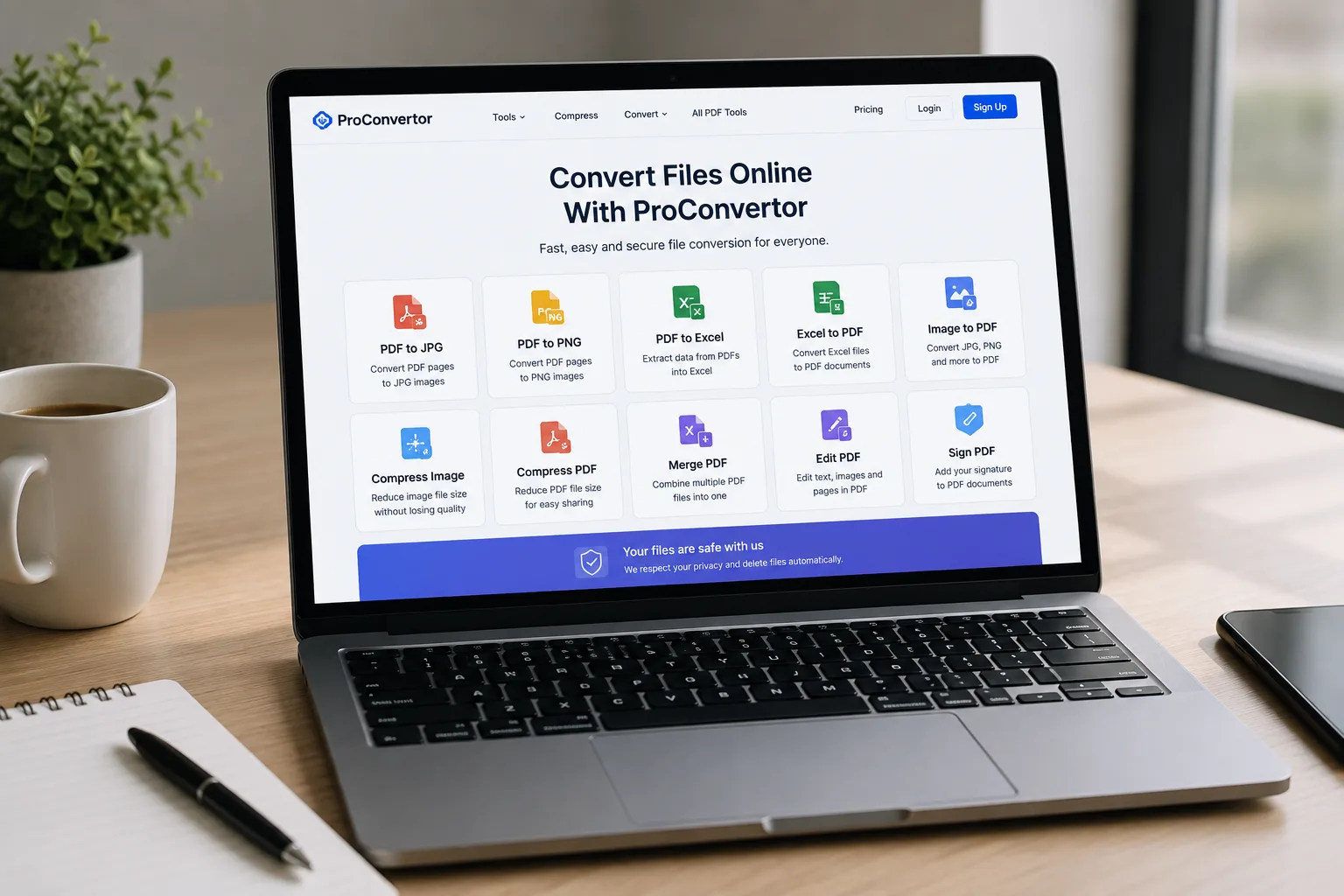
File conversion is a common digital task for students, professionals, businesses, and everyday users. A document may need to be changed into PDF format, an image may need to be converted into another format, or a large file may need to be reduced before sharing.
Using different programs for every task can make the process unnecessarily complicated. ProConvertor provides a convenient online solution that allows users to handle common file conversion tasks directly through a web browser.
In this guide, we will explain how you can Convert Files Online With ProConvertor, what types of files you can work with, and why online conversion can be a practical choice.
What Does Online File Conversion Mean?
Online file conversion means changing a file from one format to another through a web-based tool instead of relying on installed desktop software.
For example, you may have a PDF that needs to become a JPG image, an Excel spreadsheet that needs to become a PDF, or a PNG image that needs to be turned into a PDF document.
Instead of downloading separate software for each task, you can access an online converter through your browser.
How to Convert Files Online With ProConvertor
ProConvertor is designed to keep the conversion process simple.
Generally, you can:
-
Open the ProConvertor website.
-
Select the tool that matches your file.
-
Upload the file.
-
Start the conversion.
-
Download the converted file.
This straightforward process makes it easier to Convert Files Online With ProConvertor without dealing with complicated software.
Convert PDF Files Online
PDF is widely used for reports, forms, presentations, invoices, and other documents. However, sometimes you need the information in another format.
ProConvertor provides several PDF conversion options depending on what you need to do.
For example, you can use PDF to JPG when you need PDF pages as JPG images.
If you need to work with tables or information contained in a PDF, PDF to Excel can help convert the content into an editable spreadsheet.
These types of conversions can be useful for both personal and professional tasks.
Convert Images Online
Images are also commonly converted between different formats.
You may need to turn an image into a PDF for documentation or reduce its size before uploading it to a website.
ProConvertor provides online tools that help users manage these tasks through their browser.
For example, [Compress Image] can reduce the size of supported image files, which can make them easier to upload, email, or share.
Why Convert Files Online?
There are several reasons why online conversion can be useful.
No Separate Software Required
Online tools can reduce the need to download a separate application for every file format. You can access the required tool through your browser.
Saves Time
When you only need to perform a simple conversion, using an online tool can be faster than searching for, downloading, and installing desktop software.
Convenient Access
Browser-based tools can be accessed whenever you need them on supported devices, making them useful for people who work from different locations.
Multiple Tools in One Place
Instead of using one program for PDFs and another for images, ProConvertor brings multiple file-related tools together on one platform.
Who Can Benefit From Online File Conversion?
Online conversion can be useful for many different users.
Students
Students may need to convert assignments, images, and documents into specific formats before submitting them.
Businesses
Businesses regularly work with invoices, reports, spreadsheets, presentations, and PDF documents. Online conversion can help with everyday document preparation.
Freelancers
Freelancers may receive files in different formats from clients and need to convert them before editing, reviewing, or delivering their work.
Personal Users
Even simple tasks such as converting an image into a PDF or reducing an image size can be completed using online tools.
What Types of Tasks Can You Complete?
ProConvertor supports different file-related tasks, including:
-
PDF conversion
-
Image conversion
-
Excel to PDF conversion
-
PDF to Excel conversion
-
Image compression
-
PDF compression
-
PDF merging
-
PDF editing
-
PDF signing
The available tools allow users to choose a specific solution instead of searching for a different website for every task.
Online Conversion vs Desktop Software
Both online tools and desktop software have their uses.
Desktop software may be useful when you need advanced features or offline access. However, online tools can be more convenient for straightforward tasks because there is no need to install and maintain multiple programs.
For occasional conversions, an online tool can be a practical choice.
How to Get Better Results From File Conversion
Before converting a file, it is useful to consider what you need from the final document.
For example, if you need an editable spreadsheet, converting a PDF into Excel may be more appropriate than converting it into an image.
If you need to share a document while keeping its layout consistent, PDF may be a better format.
Choosing the right conversion tool based on your final purpose can help you get a more useful result.
Convert Files Online With ProConvertor
File conversion does not need to be complicated. With the right online tools, you can handle common PDF, image, and Excel tasks directly through your browser.
ProConvertor brings multiple conversion and file management tools together, helping users avoid the need to search for a separate solution for every task.
Whether you need to convert a document, process an image, or prepare a file for sharing, Convert Files Online With ProConvertor and choose the tool that matches your needs.Try ProConvertor for Free and start converting your files online.
Frequently Asked Questions
What is the easiest way to convert a file online?
The easiest approach is to choose an online tool designed specifically for the format you need, upload your file, and follow the conversion steps.
Should I convert a file before sharing it?
It depends on how you plan to use the file. Converting a document into PDF, for example, can make it easier to share while maintaining its layout.
What should I consider when choosing a file format?
Consider whether the final file needs to be editable, easy to share, small in size, or compatible with a particular application.
Can file conversion help reduce compatibility problems?
Yes. Converting a file into a widely supported format can make it easier for other people to open and use the document on different devices.
When should I use an online converter instead of desktop software?
An online converter can be a convenient choice for quick or occasional conversion tasks, while desktop software may be more suitable for advanced or offline work.
Can I convert different types of files online?
Yes. Different online tools support different formats and conversions. ProConvertor provides tools for several PDF, image, and Excel conversion requirements.