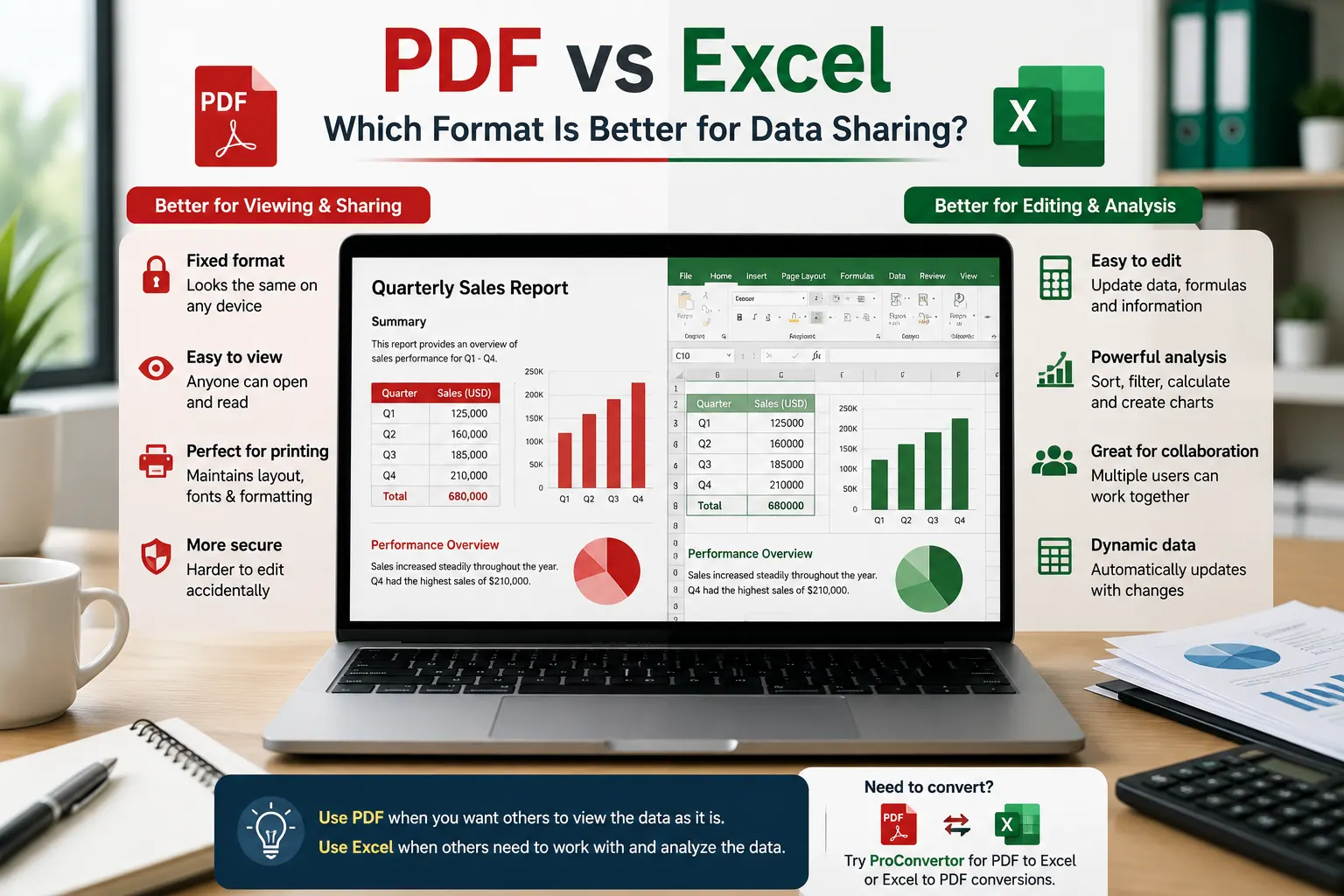
Sharing data is a regular part of business, education, finance, and everyday work. Reports, tables, invoices, budgets, records, and research data often need to be shared with other people. Choosing the right file format can make this process easier.
Two of the most commonly used formats are PDF and Excel. Both are useful, but they are designed for different purposes. PDF is mainly focused on presenting information consistently, while Excel is designed for working with and analyzing data.
So, which format is better for data sharing? The answer depends on what the recipient needs to do with the information.
What Is a PDF File?
PDF, or Portable Document Format, is designed to preserve the appearance of a document. Text, tables, images, fonts, and page layouts generally remain consistent across different devices and applications.
This makes PDF a popular choice for sharing finished documents.
For example, a company may convert a completed financial report to PDF before sending it to a client. The recipient can view the document without worrying about changes to formulas, columns, or formatting.
What Is an Excel File?
Excel is a spreadsheet format designed for storing, organizing, calculating, and analyzing data.
An Excel spreadsheet can contain:
-
Tables
-
Formulas
-
Charts
-
Filters
-
Multiple worksheets
-
Calculations
-
Sortable data
-
Pivot tables
Because Excel is interactive, recipients can usually edit the information and perform their own calculations.
This makes Excel particularly useful when the purpose of sharing data is collaboration or further analysis.
PDF vs Excel for Data Sharing
The main difference between PDF and Excel is how the recipient interacts with the information. For those looking for specific conversions like a pdf to png convertor, there are reliable online solutions available.
A PDF is better when you want the recipient to view the information exactly as presented. Excel is better when you want the recipient to work with the data.
|
Feature |
|
Excel |
|
Easy to view |
Excellent |
Good |
|
Preserves layout |
Excellent |
Good |
|
Easy to edit |
Limited |
Excellent |
|
Data analysis |
Limited |
Excellent |
|
Formulas |
Not practical |
Excellent |
|
Collaboration |
Good for reviewing |
Excellent for editing |
|
Printing |
Excellent |
Good |
|
Professional reports |
Excellent |
Good |
|
Sorting and filtering |
Limited |
Excellent |
|
File presentation |
Excellent |
Good |
When Should You Share Data as a PDF?
PDF is usually the better choice when the data is finalized and does not need to be edited.
For Finished Reports
If you have created a report and want everyone to see the same layout, PDF is a strong option. The document can contain headings, tables, charts, and other elements in a fixed format.
For Clients and Customers
PDF can be useful when sending information to clients because it provides a professional and consistent presentation.
A completed quotation, invoice, statement, or business report can be shared as a PDF without giving the recipient access to the underlying spreadsheet.
For Printing
PDF is also useful when the recipient needs to print the document. The page layout is generally easier to control, making it suitable for documents that need to look consistent on paper.
For Read-Only Information
If recipients only need to review the information, PDF can prevent unnecessary changes to the original spreadsheet.
When Should You Share Data as Excel?
Excel is generally better when recipients need to interact with the data.
For Data Analysis
If someone needs to calculate totals, compare figures, create charts, or analyze trends, Excel is much more practical than PDF.
If you need to reduce file sizes before sharing, utilizing an image compressor is a smart choice.
For Editing
Excel allows users to change values, add rows, update formulas, and organize information.
For example, if a team shares a monthly sales spreadsheet, each member can update the figures directly.
For Sorting and Filtering
Large datasets can become difficult to work with in PDF format. Excel provides tools for sorting and filtering information, making it easier to find specific records.
For Calculations
Excel is designed for calculations. Formulas can automatically update results when the underlying data changes.
This is one of the biggest advantages Excel has over PDF for data-related work.
PDF vs Excel for Business Data
Businesses often use both formats because they serve different purposes.
A finance team might create a budget in Excel, perform calculations, and update the figures throughout the year. Once the budget or report is finalized, it may be converted to PDF for distribution.
This creates a simple workflow:
Create and analyze in Excel → Finalize the data → Convert to PDF → Share the finished document
This approach provides both flexibility and professional presentation.
PDF vs Excel for Collaboration
Excel is usually better when several people need to work with the same dataset.
Team members can update figures, add information, filter records, and perform calculations. However, collaborative spreadsheet editing should be handled carefully to avoid accidental changes or conflicting versions.
PDF works better when collaboration mainly involves reviewing or approving a finalized document.
For example, a manager may receive an Excel report for analysis but receive a PDF version when the final report is ready for approval.
Which Format Is More Secure?
Neither format should automatically be considered completely secure.
PDF can be useful for distributing finalized information and may support features such as password protection and permissions, depending on the software used to create it.
Excel can also include protection features, but spreadsheets are intended to remain editable and interactive.
The best format depends on the type of information being shared and the level of control required.
For sensitive information, use appropriate access controls and security measures regardless of the file format.
Can You Convert Excel to PDF?
Yes. Excel files can be converted to PDF when you need to share a finalized version of the data.
Conversion is particularly useful when the recipient does not need to edit the spreadsheet. It can also make a report easier to view and print while preserving its overall structure.
Online conversion tools can make this process faster because you do not always need to install additional software.
With a tool such as PROCONVERTOR, you can convert Excel files to PDF online and prepare the resulting document for sharing.
Can You Convert PDF to Excel?
Yes. PDF files can also be converted to Excel when you need to extract tables or other structured information for analysis.
This can be useful when someone sends you a report as a PDF but you need to work with the data in a spreadsheet.
However, conversion quality can depend on the structure of the original PDF. A PDF containing properly structured tables is generally easier to convert than a document made from scanned images.
Which Format Should You Choose?
The best format depends on your goal.
Choose PDF when:
-
The information is finalized.
-
You want consistent formatting.
-
The recipient mainly needs to read the document.
-
You need a print-friendly file.
-
You are sharing a professional report.
-
You do not want recipients editing the original data.
Choose Excel when:
-
The recipient needs to edit the information.
-
Data needs to be analyzed.
-
Calculations are required.
-
Users need sorting and filtering.
-
Multiple worksheets are useful.
-
The information will continue to change.
Final Thoughts
PDF and Excel are not competing formats in every situation. They are designed to solve different problems. PDF is better for presenting and sharing finalized data, while Excel is better for editing, calculating, organizing, and analyzing data.
In many cases, the most effective approach is to use both. Create and manage the data in Excel, then convert the finalized version to PDF when you need to share a clean and consistent report. Choosing the right format ultimately depends on what the recipient needs to do with the data after receiving it.
If you are ready to manage your documents more effectively, you can explore all tools on our platform.
Frequently Asked Questions
What is the main difference between PDF and Excel?
PDF is designed for presenting information consistently and is best for finalized documents, whereas Excel is a spreadsheet format built for data analysis, calculations, and editing.
When should I choose PDF over Excel?
Choose PDF when you need to share a finalized report, ensure consistent formatting across devices, or provide a read-only document that shouldn't be edited.
When is Excel the better choice?
Use Excel when the recipient needs to analyze data, perform calculations, sort or filter information, or actively collaborate by editing the data.
Can I convert files between PDF and Excel?
Yes. You can convert Excel to PDF for final reports or shareable documents, and you can convert PDF to Excel if you need to extract tables or data for further analysis.
Is one format more secure than the other?
Neither is inherently more secure. Both offer security features, but overall security depends on the specific access controls and measures you apply, regardless of the format.